

Boleto Rapido is one of the most convenient deposit methods available on the IQ Option platform. It can be processed within the timeframe of 1 hour to 2 business days, which makes it a quicker alternative to standard Boleto. To complete your deposit successfully, simply follow the instructions below.

1. In your traderoom, click “Deposit” and choose the Boleto Rapido option from the list.
2. Choose the deposit amount from the presets or specify it manually.
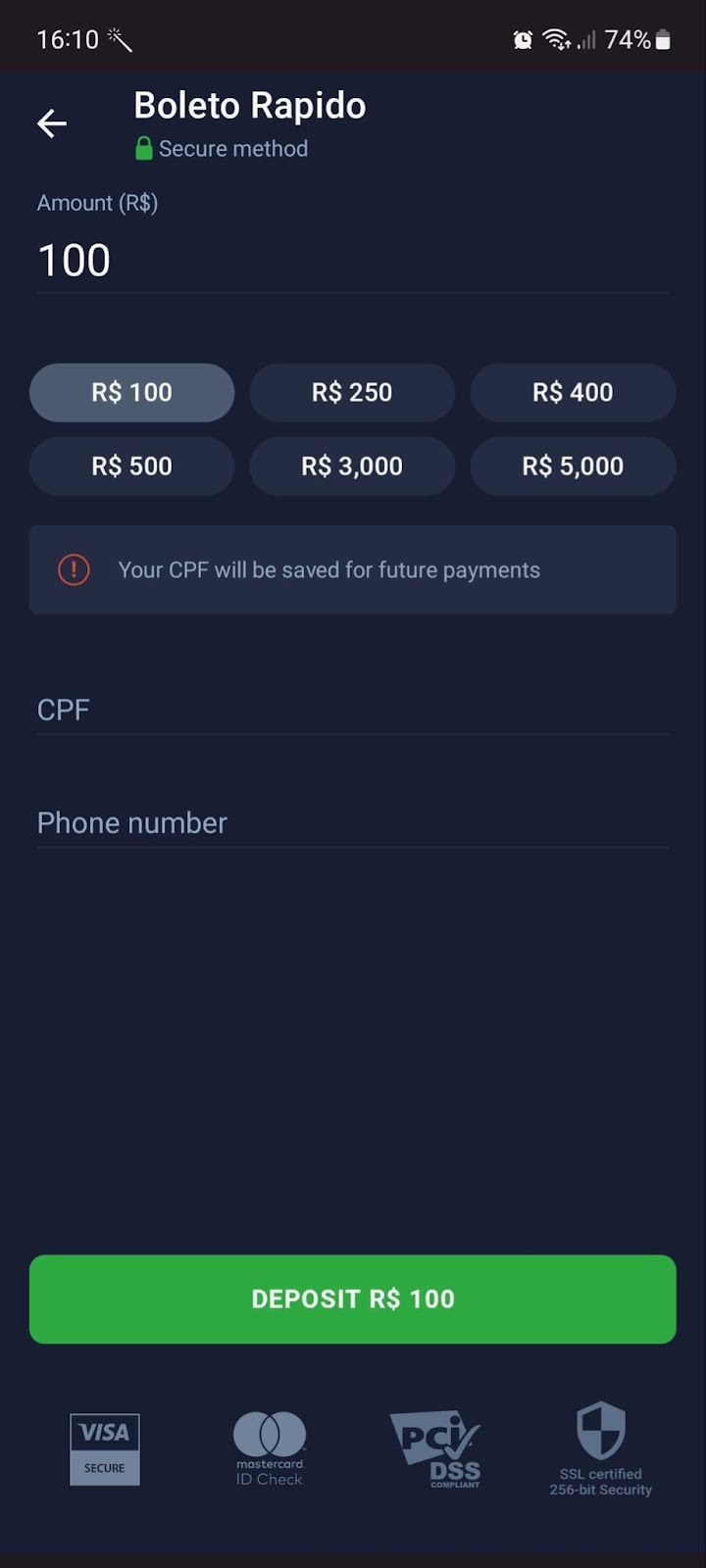
3. Enter your CPF number. The CPF number consists of 11 digits with no special characters. Please remember that you can only use your own CPF number.
4. Specify your phone number.
5. Click “Deposit” to proceed with the payment.
6. You will find all of the deposit details (amount, date, name, reference number, CPF) as well as the bar code for payment in the Boleto invoice.
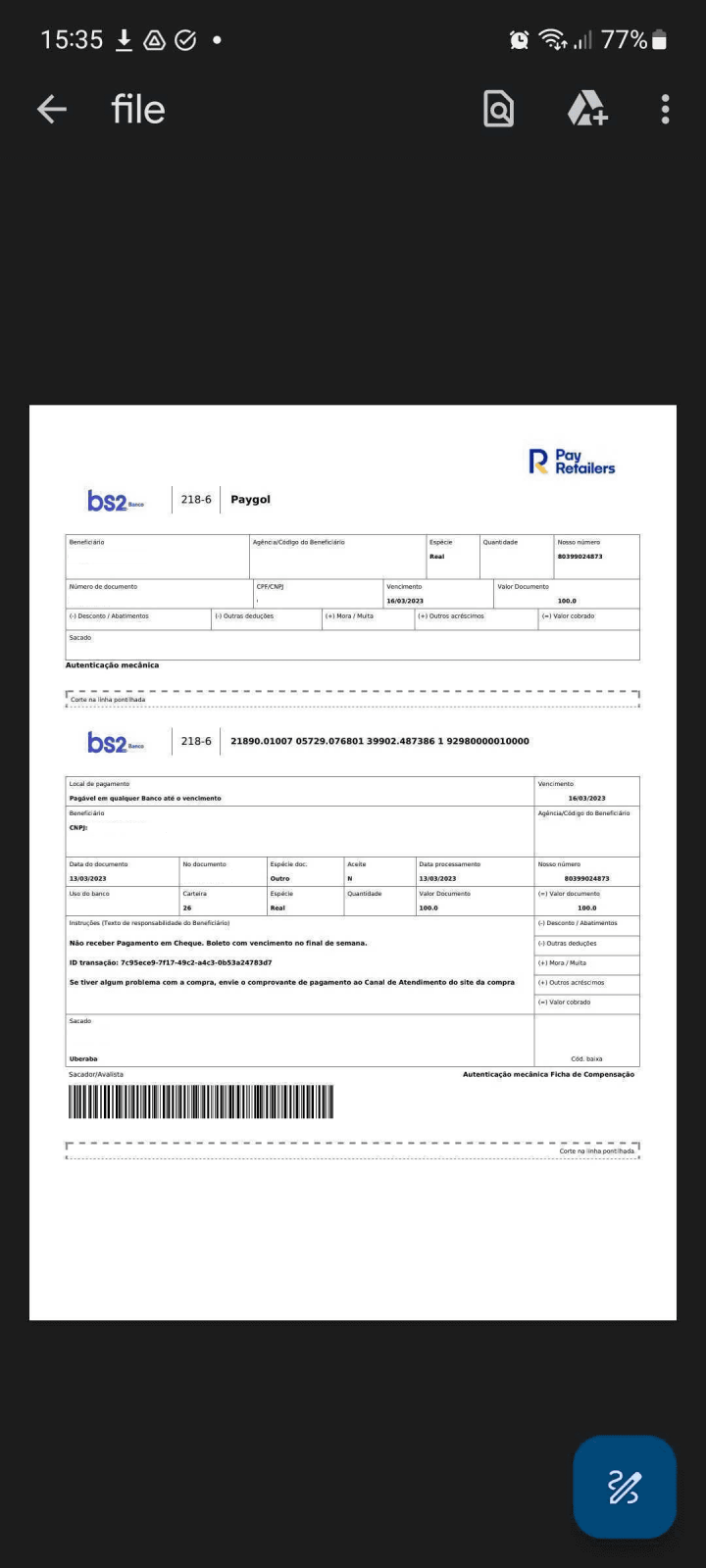
7. The invoice can be paid in a large number of financial institutions as well as online.
8. Once you have paid for the invoice, the fund will be credited to your IQ Option account within the specified timeframe.