
One of the most convenient IQ Option deposit methods available in certain regions is Volet.com — a trusted digital wallet that allows you to deposit in just a few clicks.
In this guide, we’ll walk you through everything you need to know about making a deposit via Volet: how it works, the IQ Option minimum deposit, potential fees, and what to do if you run into issues.
What Is Volet.com?
Volet is a digital wallet platform that allows users to make fast and secure online payments. It’s especially popular for transferring funds to trading platforms like IQ Option — our users love it for instant or near-instant payments.
Why Choose Volet?
- Fast transactions – Most deposits appear in your trading account within minutes.
- Clean interface, perfect for beginners.
- Protected by multi-layer encryption and 2FA.
- Widely accepted – Compatible with various brokers, including IQ Option, and works in many countries.
IQ Option Minimum Deposit via Volet
The minimum deposit in IQ Option starts from $10 or equivalent in your account currency. This makes it easy to start trading with minimal risk.
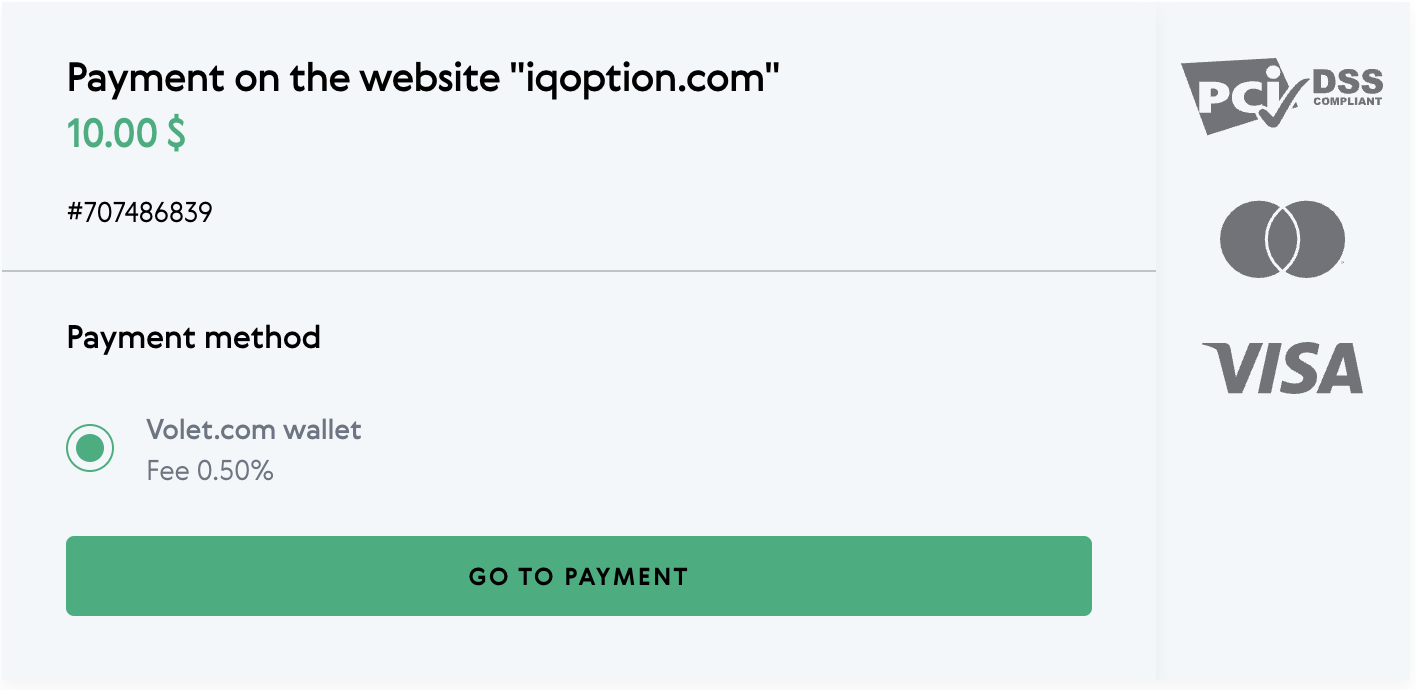
✍️ There is no IQ Option deposit fee when using Volet — but Volet does charge a small commission. You’ll be able to see the fee percentage once you are redirected to their website to complete your deposit.
IQ Option: How to Deposit Funds via Volet
Before starting, make sure you have an active Volet account and enough balance to cover your deposit.
1. Log into Your IQ Option Account
Go to IQ Option and sign in.
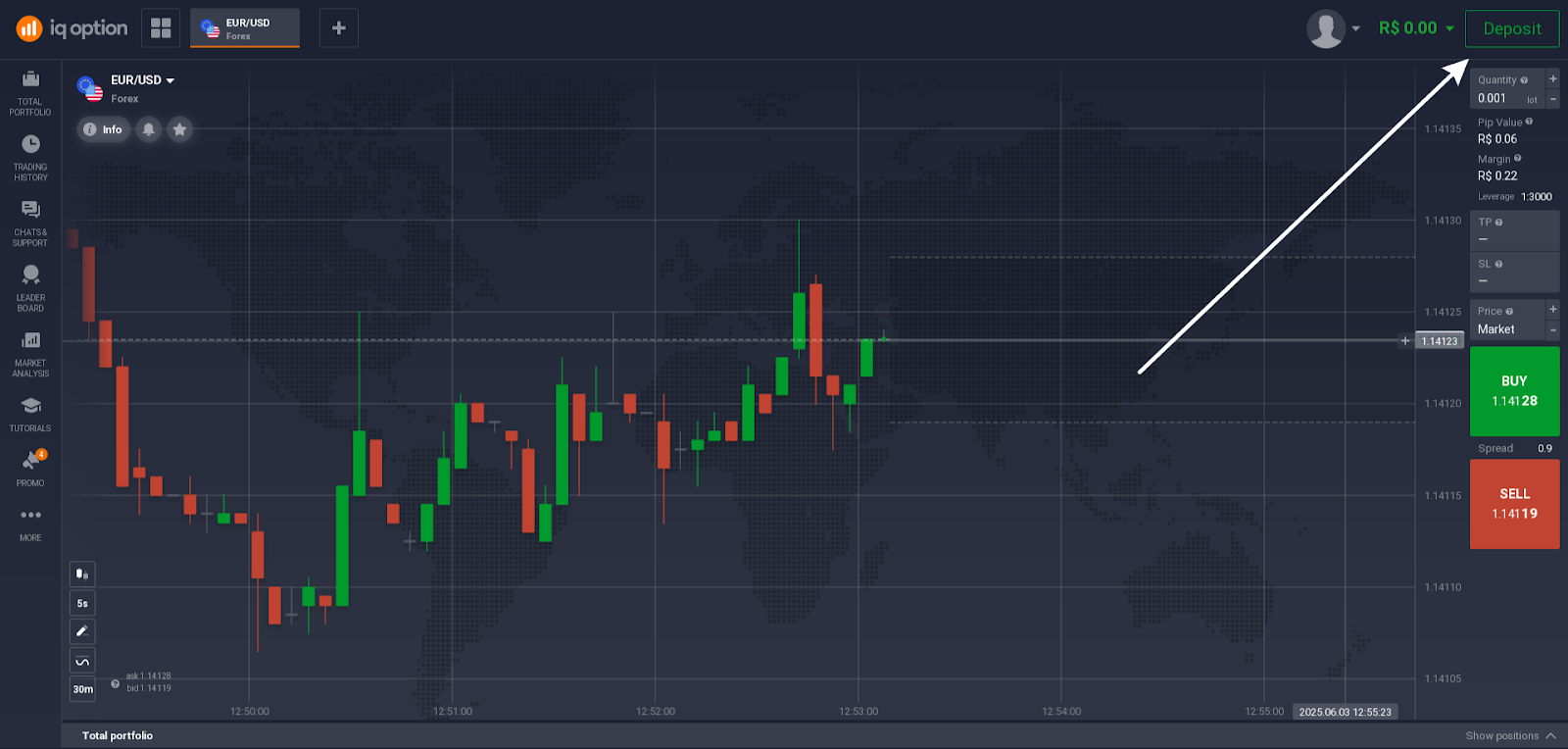
2. Click “Deposit”
Find the “Deposit” button at the top right corner of your screen.
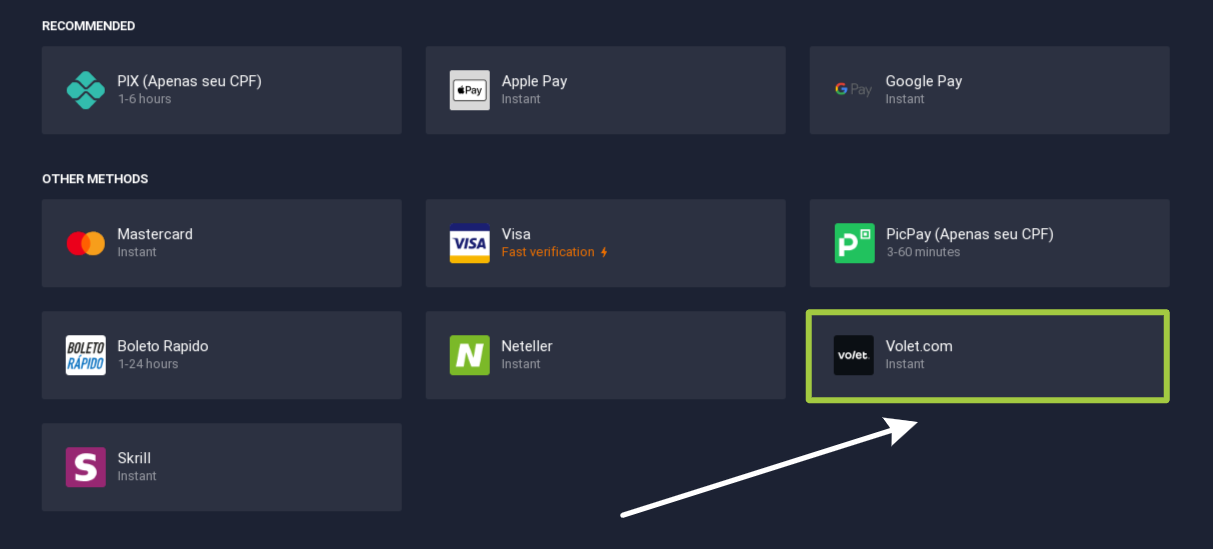
3. Choose Volet as Your Deposit Method
From the list of IQ Option deposit methods, select Volet.
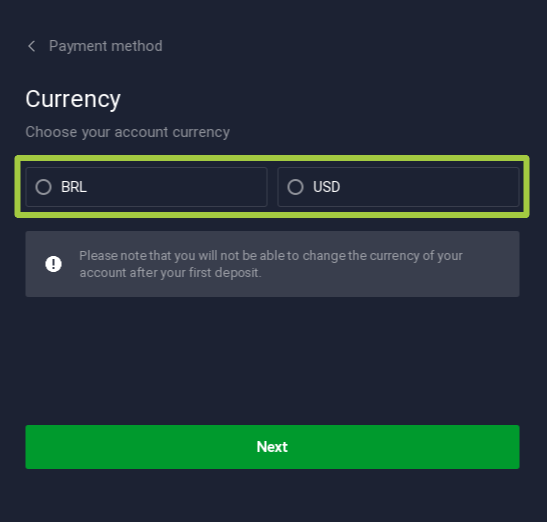
4. Select the Deposit Currency
If this is your first-time deposit, choose the payment currency. Note that it will be saved for all subsequent payments and can’t be changed later.
4. Enter the Deposit Amount
Input the amount you wish to deposit. Remember, the IQ Option minimum deposit via Volet is $10. Tick the box to accept Terms & Conditions and proceed to the next step.
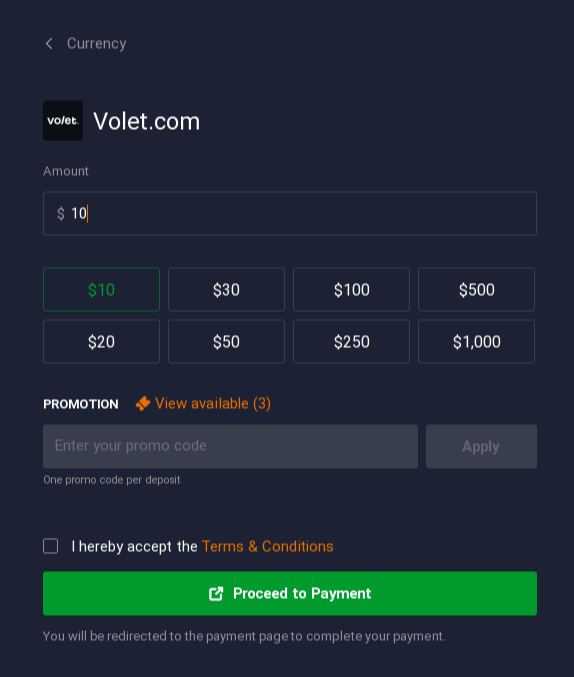
✍️ If you have any IQ Option promo codes, paste them to the corresponding box at this step. Otherwise, the code will not be applied.
5. Proceed to Volet
You’ll be redirected to the Volet.com login page. Enter your Volet credentials and confirm the payment.
6. Done!
Once completed, your funds should reflect in your IQ Option deposit funds within a few minutes.
Common Issues & Troubleshooting Tips
Here’s what to if you have an IQ Option deposit problem while using Volet:
| Problem | Solution |
| Deposit not showing | Wait 5–10 minutes, then refresh your balance. Contact support if delayed. |
| Volet payment failed | Check your Volet balance and internet connection. Retry. |
| Deposit declined | Ensure you’re using the correct Volet account linked to your name. Alternatively, visit the Volet support page for assistance. |
| Technical glitch on site | Clear browser cache or try a different browser/device. |
If the issue persists, you may need to contact IQ Option support for further assistance. They can provide specific details about why your deposit is not coming through.
✍️ Volet transactions are usually irreversible — always double-check the email and transaction amount before confirming!
Conclusion
Funding your trading account shouldn’t be complicated. Thanks to Volet, depositing on IQ Option is fast, easy, and secure — with no hidden fees and a low entry barrier. Many traders choose it as one of the fastest deposit methods — just a few seconds, and you’re ready to trade!
